How do you fix email error 550?
- Rachel
- Bounce errors
- December 28, 2024
Email is how most of us get work done, so it’s frustrating when a message comes straight back with something like 550 Invalid Recipient Address. Whether you sent a sales proposal or a quick note to a colleague, the question is the same: what went wrong, and how do I fix it?
Error 550 is one of the most common reasons email doesn’t arrive. One in eight legitimate marketing emails never reaches the inbox. They land in spam or are blocked outright, and invalid addresses are a big part of the problem. The good news: understanding and fixing it is simpler than it looks.
In this guide we cover:
550 means.Error 550 is a standard email delivery error. It says the recipient’s address is invalid, doesn’t exist or can’t be reached. It’s one of the Simple Mail Transfer Protocol (SMTP) error codes that mail servers everywhere use.
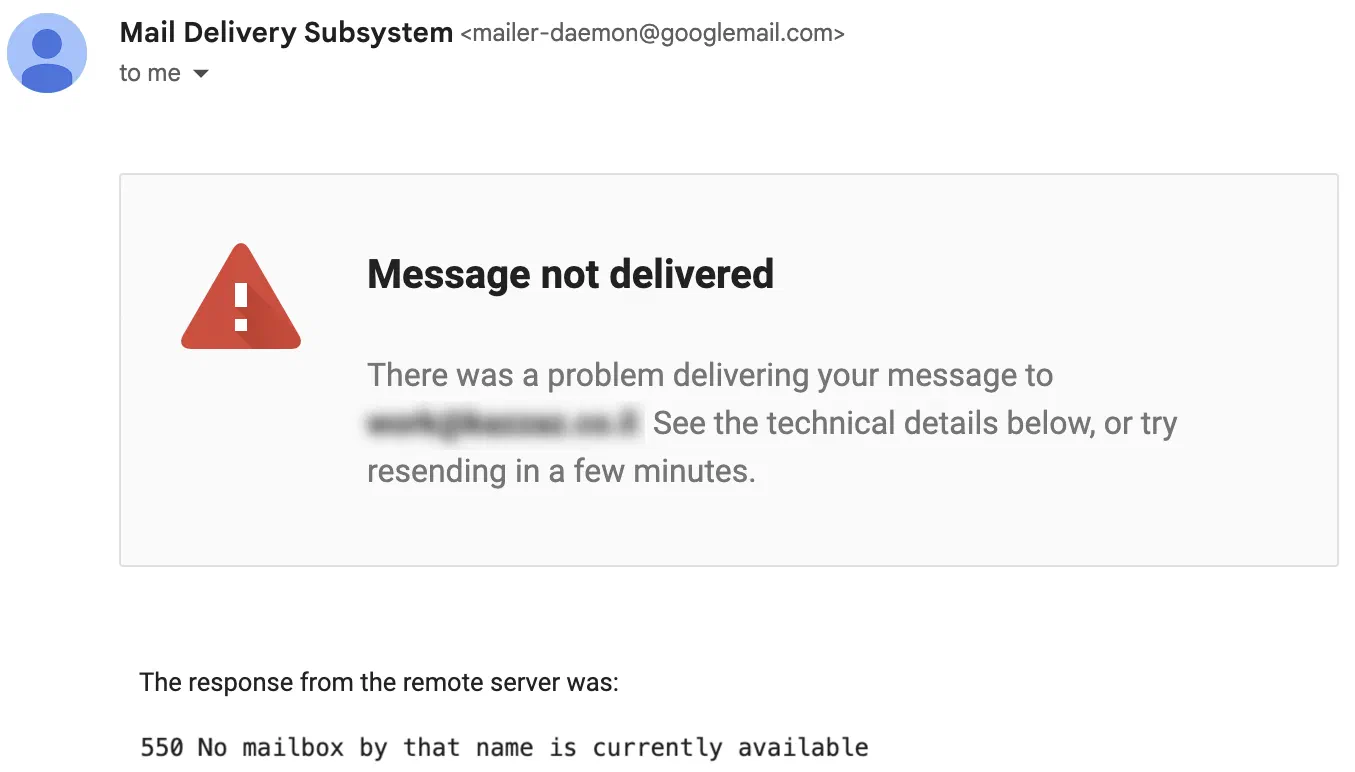
The bounce above came back to a Gmail sender, quoting the receiving server’s reply. If you send to a Gmail address that doesn’t exist, Gmail itself replies:
550 5.1.1 The email account that you tried to reach does not exist.
That means the recipient’s address is invalid or no longer exists.
Other providers word it differently:
550 5.1.1 User unknown or 550 5.4.1 Address rejected. The recipient’s address doesn’t exist, has been disabled, or is restricted from receiving email.550 5.1.10 Recipient not found. The recipient’s address doesn’t exist in the destination domain.550 MAILBOX NOT FOUND. The address doesn’t exist on AOL’s mail server.550 5.1.1 Recipient address rejected: User unknown. The receiving server rejected the message because the recipient’s address is invalid or doesn’t exist there.Each of these messages tells you why the email wasn’t delivered, so you can do something about it: check the address, look for spammy content, or make sure your email is properly authenticated.
Whatever the wording, the root cause is the same: something about the recipient’s address is stopping your message from being delivered.
The error usually comes from common, fixable problems:
johndoe@gamil.com instead of johndoe@gmail.com, is enough to bounce.@example.com, is no longer active, the email can’t be delivered.Gmail explains what each kind of bounce means and how to fix it in Fix bounced or rejected emails.
Fixing these errors isn’t only about getting one email delivered. It’s about protecting your sender reputation. When too many of your emails bounce, mailbox providers may start treating you as a spammer. That can lead to:

For a business this can be a disaster. Imagine sending an important campaign to thousands of customers, only for most of them to miss it because of delivery problems.
If you’ve already hit this error, here’s what to do:
To stop it happening again:
For more on staying out of the spam folder, see how to reduce the chances of your emails going to spam.
Each mailbox provider has its own advice for avoiding bounces:
The 550 Invalid Recipient Address error is universal and can hit you whether you’re sending to Gmail, Yahoo, Outlook or anyone else. It’s common, but it’s also easy to fix with a few proactive steps. Keep your lists clean, verify your addresses and follow each provider’s best practices, and your emails will go where they’re supposed to.
Stay proactive and you’ll improve your deliverability, protect your reputation and make sure your messages reach the right inboxes.