We provide five download options designed to fit common sending, suppression or segmenting setups.
Balanced Choice
This download is our most popular option with good deliverability for most sending needs.
Usage
- Use when you are confident about the source of your emails
- Use to contact as many addresses as possible while still removing emails with higher risk of bouncing or not reaching a real inbox
- Creates a list or segment to safely send emails to
Balanced Choice
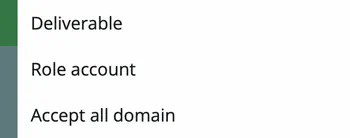
Cautious Choice
This download is a subset of the balanced choice above. It has a stricter filter which excludes catch-all emails.
Usage
- Use when there is uncertainty about the source or quality of your emails.
- Use to download emails with minimal risk for when you value safety over reach
- Useful in situations where there are strict KPIs around bounces or engagement rates
Point of difference: a safe list to send to that excludes catch-all emails.
Note on Catch-all emails
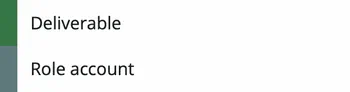
Catch all emails carry some risk of bounce and low engagement. They are email systems that accept every address, even if the inbox does not exist. Because they do not reject invalid addresses during verification, the email may still be rejected later.
Cautious Choice
Unsafe Emails
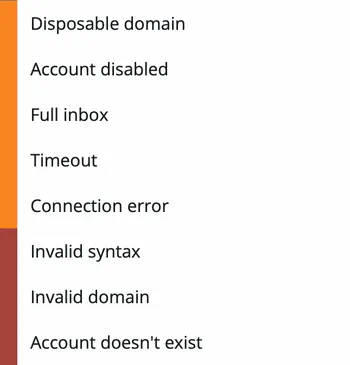
This download contains email addresses that should not be included in your campaigns due to permanent or temporary delivery issues.
Usage
- Use to remove or suppress unsafe emails from email communications.
- Use as an exclusion list or segment
Unsafe Emails
All Emails
An unfiltered download of all your records including both safe and unsafe with all verification attributes.
Usage
- For identifying details on the deliverability of all emails on your list
- To control sending using filters, rules, or contact fields
Custom
Aimed at advanced users with specific requirements, this option allows you to choose just the email types you prefer.
Usage
- Use when you know which email types you want to download