Email list verifier

These days there are consequences to sending to email addresses that don’t work. No Más Rebotes is a solution that verifies the emails on your list so you can send with confidence.
People reviewing email list issues

Why verify your email list?

22.5% of an email list will decay each year1. Sending to outdated or invalid email addresses can lead to:
Bounced emails

Bounced emails that do not reach the inbox.

Blocked email sending

Warnings and blocked sending caused by poor sender reputation.

Emails sent to spam

Emails go directly to the spam folder.
Our simple 3 step process

Upload

Verify your list

Download results

See it in action

Why No Más Rebotes?

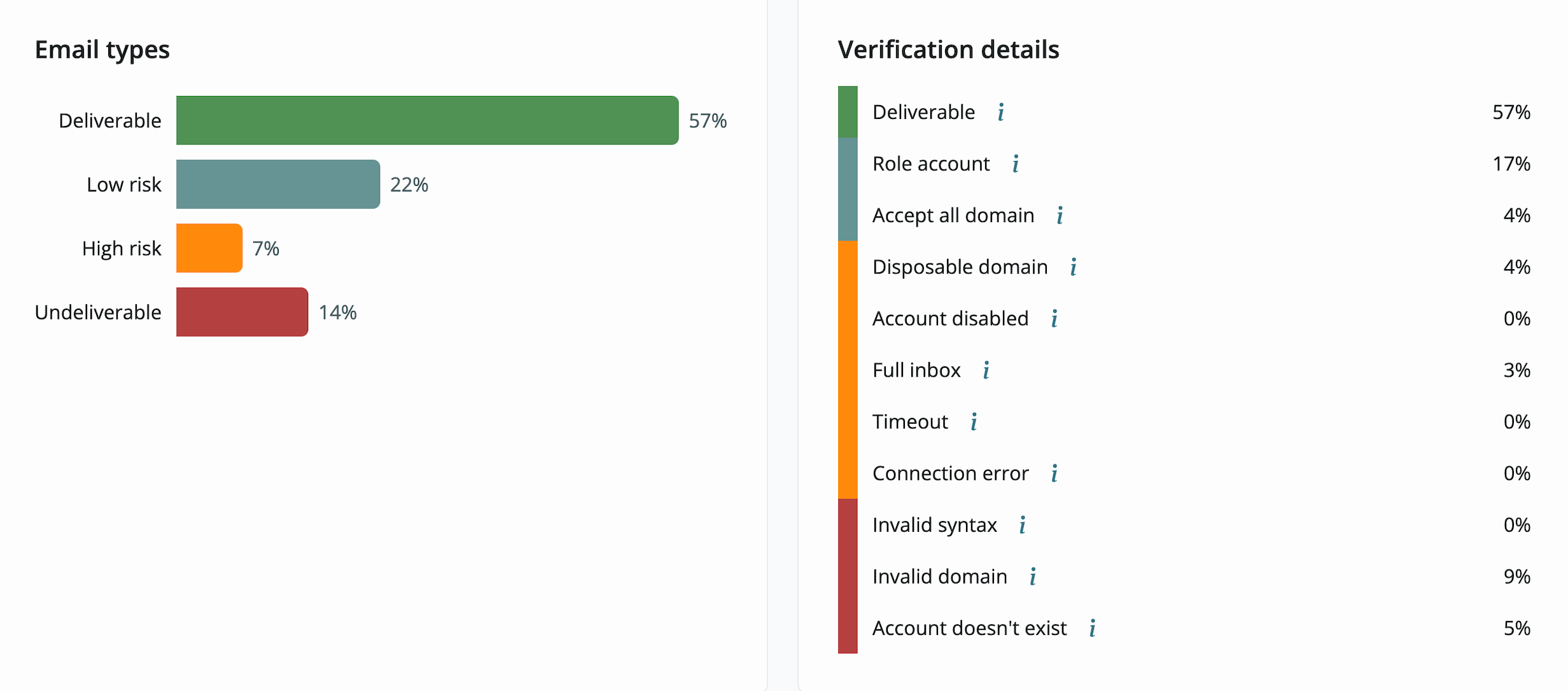
See your results as they are processed.
Verification results dashboard showing email types and verification details

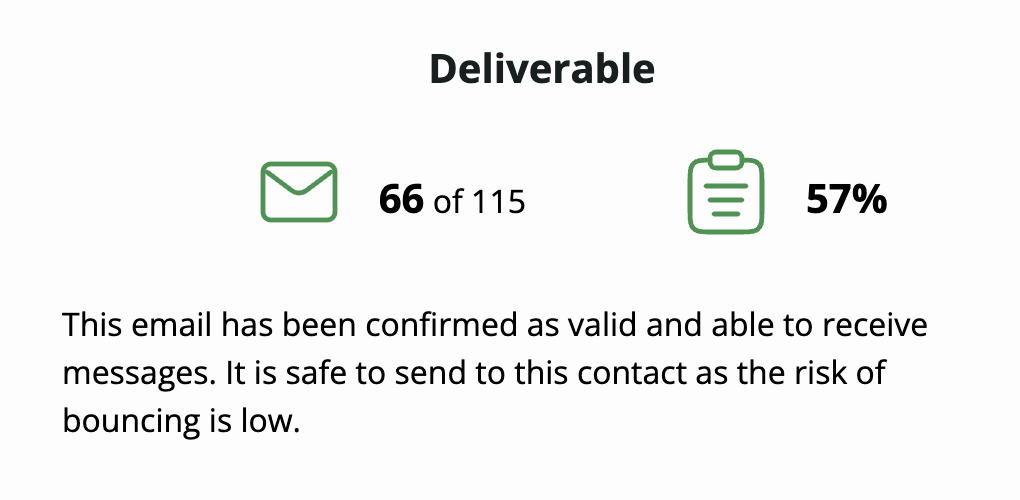
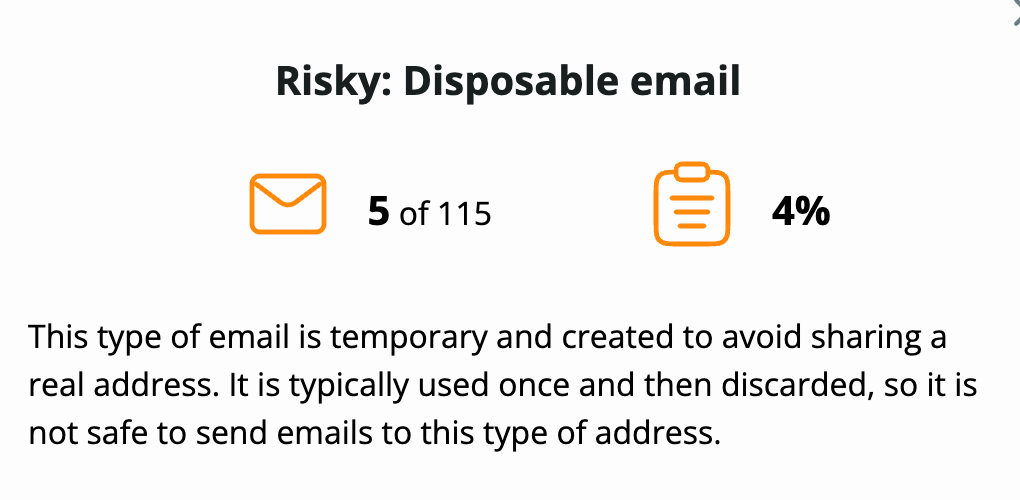
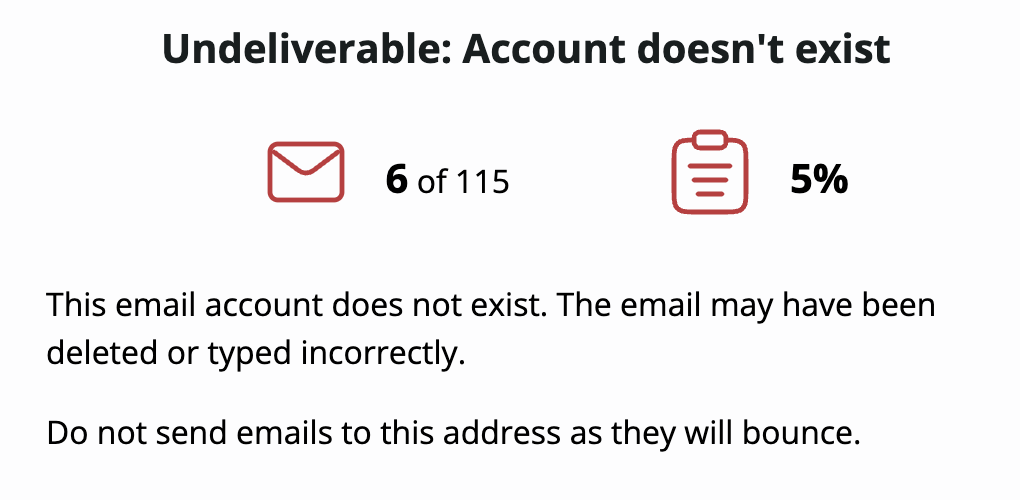
Detailed explanation and guidance

Screenshot showing deliverable email statistics
Screenshot showing risky email statistics
Screenshot showing undeliverable email statistics

Why does my email list degrade over time?

Job change : When employees change companies, their previous work email addresses are usually deactivated, resulting in undeliverable emails.
ISP change : A service may shut down or some users move from older email services to more modern platforms, abandoning their previous addresses.
Fake : Sometimes people use fake emails when signing up for services to avoid spam or bypass required registrations.
Disposable : Someone enters test@fakeemail.com in your signup form just to access a free download.

Magnifying glass over email results
Syntax error : A user makes a typo and accidentally enters @gmial.com instead of @gmail.com.

The process to confirm an email is valid

Syntax check
Ensures the email address has the correct format.
Valid syntax
correct.name@domain.com
Invalid syntax
name@@domain.com
name.domain.com
Domain validation
Checks that the domain exists (the part after the @), is configured correctly, and has the MX records needed to receive emails.
Valid domain
@real.domain.com
Invalid domain
@domain.does.not.exist.com
Mailbox verification
A small request (a “ping”) is sent to the email server to confirm the mailbox is still active and can receive emails.
Valid mailbox
this.name@domain.com
Invalid mailbox
doesnotexist@domain.com
Free email detection
A personal, free email address. It may belong to a real user and may be used regularly or may be inactive.
Business email
name@company.com
Free email
name@hotmail.com
Role and group email detection
Emails like support@domain.com or info@domain.com are usually shared by several people, which leads to lower engagement and more spam complaints.
Single-recipient email
one.person@domain.com
Group/role email
admin@domain.com
Disposable email detection
Some users sign up using temporary or disposable email services that automatically expire after a short period of time.
Non-disposable email
real.name@domain.com
Disposable email
one.time.use@mailinator.com
Catch-all email identification
Some domains are configured to accept all email messages, even if the specific mailbox does not exist. That makes it harder to determine whether a real email belongs to those domains.
Normal email
real.name@domain.com
Catch-all email
user@example.com

Frequently Asked Questions

Any email list will decay at a rate of around 22.5% each year1. Regular maintenance is needed to avoid high bounce rates while keeping conversion rates healthy.

There is no minimum email list size required to benefit from email verification, because even smaller lists may need verification if the emails are collected through web forms or third-party sources.

If you see a high bounce rate, experience poor deliverability, or find that your emails are being marked as spam, email verification is essential.

If you receive a warning from your provider, such as Mailchimp, Amazon SES, or Mailrelay, you should take action to avoid negative consequences.

You can try verifying an email for free by registering here.

When you verify your email list, you will receive a report that classifies emails as valid, invalid, or risky. You can then remove or segment the problematic emails.

No Más Rebotes also provides more information about the emails on your list, such as which ones are temporary, catch-all, role-based, or free email accounts.

Sender reputation is a complex metric used by email senders, email service providers, and anti-spam solutions to determine whether you are sending legitimate emails. Your organization’s sender reputation determines whether an email is delivered to the recipient’s inbox, sent to spam, or blocked completely.

Using an email verification service helps protect your business from high bounce rates, delivery warnings, and damage to sender reputation. You can try verifying emails to see how it works by creating an account.

A warning from your provider, such as Mailchimp, Amazon SES, or Mailrelay, usually indicates a high number of undelivered emails, also known as bounces. Email sending services monitor performance to maintain a reliable service for all users. There are several actions you can take to reduce bounces and improve sender reputation, including verifying your email lists regularly and following email sending best practices.

There are four main tasks that will reduce the chances of your email landing in the spam folder:

  1. Maintain a good sender reputation by verifying your email addresses and sending only to valid addresses.
  2. Send appropriate email content.
  3. Maintain high email engagement.
  4. Use proper email sending authentication such as SPF, DKIM, and DMARC.